

Building Secure GenAI Ecosystem: The 10 Failure Modes Behind Most Incidents (Part 2)
Enterprise GenAI Security, Explained in Two Parts
As enterprises move from isolated GenAI pilots to full-scale production rollouts, the risk profile shifts—fast. In Part 1, we focused on the “front door” risks that show up early in LLM deployments: prompt injection, sensitive data exposure, supply chain weaknesses, poisoning, and unsafe output handling. But once LLMs graduate into agents, connect to enterprise tools, rely on RAG and vector databases, and serve large user populations, the threats become more operational—and the blast radius gets bigger.
That’s where Part 2 picks up. Using the OWASP Top 10 for LLM Applications as the reference framework, this blog maps the next set of risks—LLM06 through LLM10—to the practical controls security teams and architects can enforce: least-privilege tool access, prompt protection, permission-aware retrieval, misinformation defenses, monitoring, throttling, and cost governance. More importantly, it moves beyond individual controls and shows how to run GenAI security as an ongoing discipline—managed across the AI lifecycle, not treated as a one-time pre-launch checklist.
This second blog closes the loop by adding what most organizations actually need to succeed: a repeatable operating model for governing and measuring risk over time, and a realistic 30/60/90 rollout plan to implement controls without slowing innovation. Read together, Part 1 and Part 2 deliver the complete, end-to-end picture—what breaks, what prevents it, and how to keep it secure as adoption scales.
Understanding The 10 Failure Modes (LLM 06 → LLM 10)
The OWASP LLM Top 10 represents the most critical security risks facing applications that leverage large language models. Unlike traditional application security concerns, these vulnerabilities arise from the unique characteristics of LLMs: their training on vast datasets, their ability to generate content, and their integration into complex enterprise workflows.
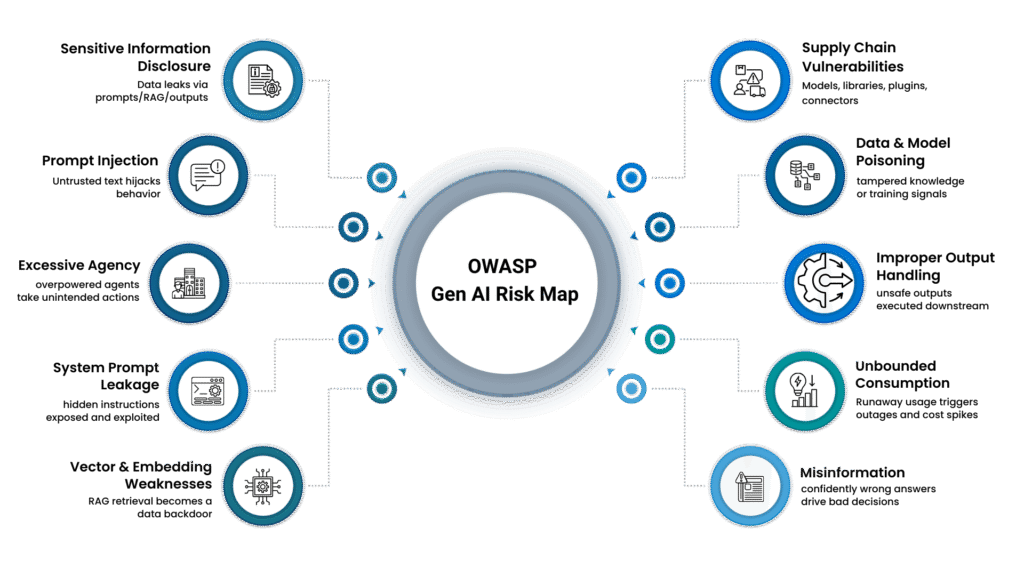
LLM06: Overpowered agents (Excessive Agency)
LLMs granted too much autonomy or access to sensitive functions can take unintended actions, escalate privileges, or cause significant business impact through autonomous decision-making. OWASP defines excessive agency as enabling damaging actions due to unexpected/ambiguous/manipulated outputs, and points to “excessive functionality, permissions, autonomy” as common root causes.

Enterprise Security Controls
Prevent
- Give the agent only the minimum access it needs (prefer read-only; limit data and actions).
- Require extra verification and set strict limits for risky actions (approvals, amount caps, confirmations).
- Provide emergency stop access and a “test mode” that simulates actions without applying changes.
Detect
- Learn normal agent activity and flag unusual patterns (such as excessive actions, unusual hours, or high-impact changes).
- Regularly review and audit LLM permissions, removing unused access.
Respond
- Immediately disable tool access, revoke its credentials, and tighten permissions/rules after review.
- Define explicit allowlists of permitted actions for each LLM application.
LLM07: Internal logic exposed (System Prompt Leakage)
System prompts contain critical instructions, business logic, and security controls. System prompt leakage is when internal instructions, routing logic, or hidden guardrails are exposed in responses. When leaked, attackers can reverse-engineer defenses, identify bypasses, or gain insights into proprietary processes.
Note: System prompt leakage is often triggered by prompt injection (LLM01) and can result in sensitive information disclosure (LLM02). We’re treating it as a separate failure mode here because the primary mitigations—prompt compartmentalization and keeping secrets out of prompts—are distinct and worth calling out explicitly.

Enterprise Security Controls
Prevent
- Don’t put passwords or keys in system instructions; keep them in secure storage with limited access.
- Split instructions into separate parts (rules, business steps, tool steps) instead of one big prompt.
- Enforce rules with controls in the app (access checks, filters), not just with “the model should obey.”
Detect
- Run regular automated tests that try to extract hidden instructions.
- Flag repeated attempts to get the bot to reveal its hidden rules.
Respond
- Replace the system instructions and change any exposed passwords/keys.
- Review what was revealed, then tighten separation and access controls to prevent a repeat.
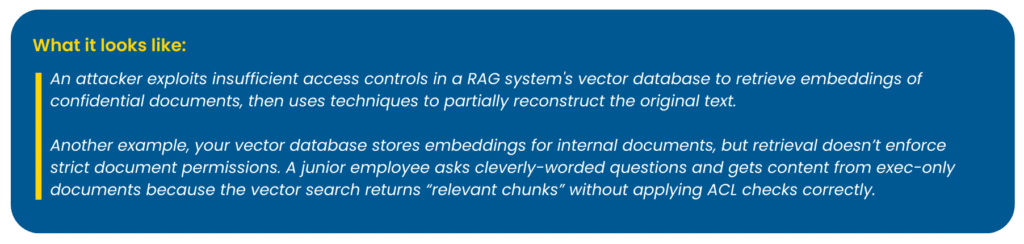
LLM08: RAG retrieval as a backdoor (Vector & Embedding Weaknesses)
Retrieval-Augmented Generation (RAG) systems rely on vector databases and embeddings. Vulnerabilities in these components can lead to unauthorized data access, poisoning attacks, or inference of sensitive information from embeddings.
Enterprise Security Controls
Prevent
- Check access rules every time a document is fetched.
- Tenant isolation where required (separate indexes or strict partitioning).
- Remove or hide sensitive details before turning documents into embeddings.
- Enforce access control at retrieval time: store each chunk with metadata (e.g., tenant_id, group_id, doc_acl, classification) and apply metadata filtering / ACL checks in the vector database so unauthorized chunks are never returned to the application.
Detect
- Flag “data fishing” behavior: very broad searches, too many fetches, repeated similar queries.
- Alert when the system returns a document that the user shouldn’t be able to access.
Respond
- Rebuild the index after making changes to permissions or content.
- Change the access keys if you suspect exposure.
- Fix the document ingestion process so that permissions always carry over correctly.
- Consider privacy-preserving methods when embedding highly sensitive enterprise datasets.
- Implement access controls at the embedding level, not just the document level.
How it works (example): The app sends the user’s query, along with an authorization filter (such as group_id = Finance), to the vector DB. The DB searches only within that permitted scope and returns chunks that the user is allowed to access.
Note: In most RAG implementations, security isn’t applied to the embedding vectors themselves—it’s enforced during retrieval via metadata filtering and document-level authorization in the vector database, before the LLM ever sees the text.
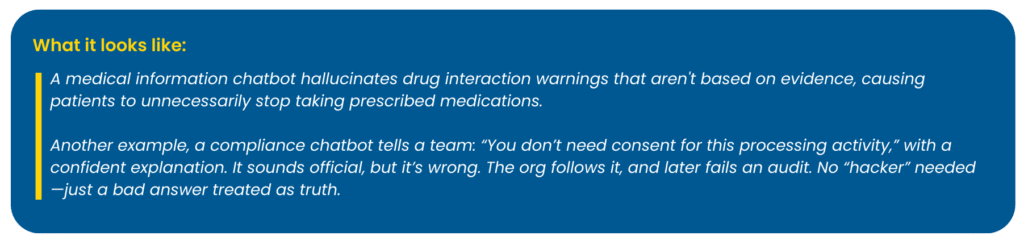
LLM09: Confidently wrong answers (Misinformation)
The model produces false but plausible outputs, and the business treats them as truth—especially dangerous in HR, legal, finance, and security operations. OWASP describes misinformation as false/misleading information that appears credible, potentially causing security breaches, reputational damage, and legal liability.
Enterprise Security Controls
Prevent
- Use only trusted, approved company sources for answers. For legal, HR, security, or finance questions, require the bot to indicate where it obtained the answer.
- When the bot is unsure, it should clearly state “I don’t know” and request a person to review the answer before anyone acts on it.
- Before releasing updates, test the bot with real workplace questions and do not launch unless it consistently answers correctly.
Detect
- Compare the bot’s answers with the original documents it used; flag cases where the answer does not accurately reflect what the document states.
- Provide users with an easy way to report incorrect answers, review those reports regularly, and address repeated mistakes as a serious issue that requires correction.
Respond
- Correct or replace the source document if it is outdated or wrong.
- Update the bot’s knowledge store so it uses the corrected content.
- Adjust the bot’s instructions and run the same tests again to confirm the problem is fixed.
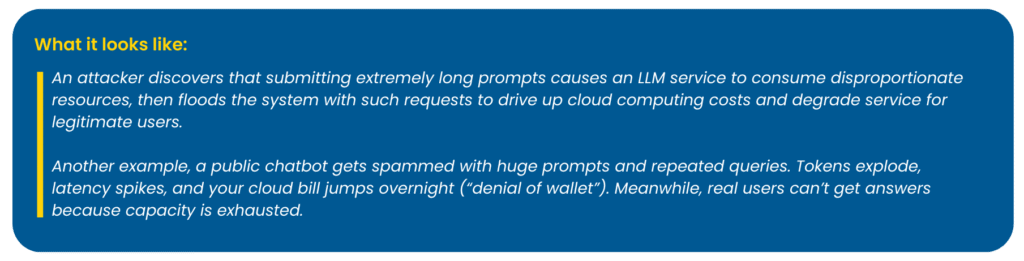
LLM10: Denial of service—and denial of wallet (Unbounded Consumption)
LLMs can be exploited to consume excessive computational resources. Attackers (or even legitimate users) drive excessive inference: long prompts, repeated retries, heavy tool usage. The result is cost spikes, outages, degraded UX, or model extraction attempts. OWASP defines unbounded consumption as allowing excessive and uncontrolled inferences, which can lead to denial-of-service attacks, economic losses, model theft, runaway costs, or resource starvation for legitimate users, resulting in service degradation.
Enterprise Security Controls
Prevent
- Set clear limits on the number of requests a person can make in a minute/hour/day.
- Set a spending limit per person or per team, so one user can’t run up the bill.
- Set max token limits per request (cap input tokens, retrieved context tokens, and output tokens) so a single “monster prompt” can’t overwhelm the system.
- Block overly large inputs and enforce hard timeouts for requests that run too long (to prevent long-form/recursive DoS patterns).
- Save and reuse common answers to avoid recomputing the same information repeatedly.
- Control and slow down unusually heavy traffic before it reaches the AI system, especially for public-facing chatbots.
- Limit recursion/tool-call steps (max agent steps per request) to prevent runaway loops.
Detect
- Get alerts when daily or hourly costs suddenly jump.
- Track what “normal” usage looks like, and flag sudden increases in message size or request count.
- Watch for sudden spikes in traffic or slowdowns that suggest overload or abuse.
Respond
- Immediately slow down or temporarily block the users or sources causing the spike.
- Replace exposed access keys with new ones if you suspect misuse.
- Temporarily switch off the most expensive features until usage returns to normal.
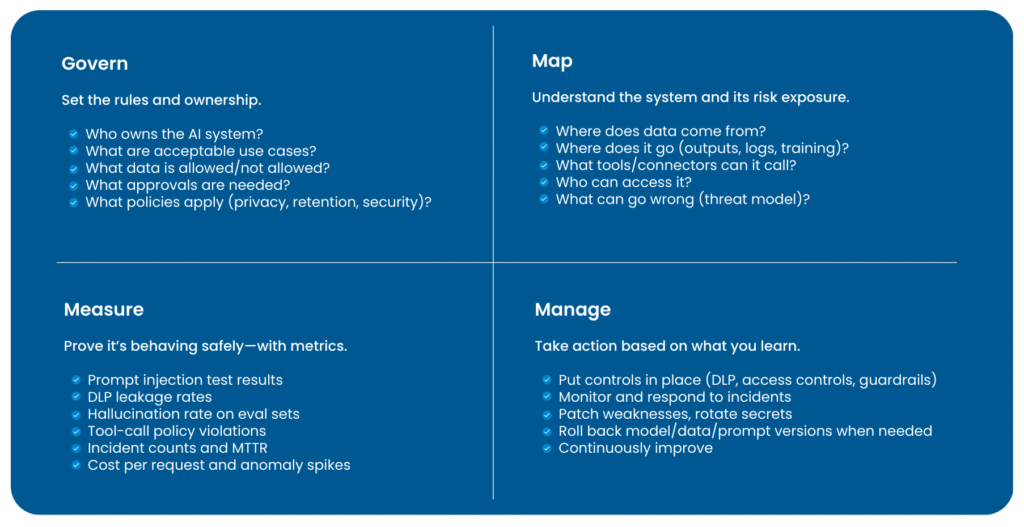
Now that we’ve covered the 10 failure modes, the real enterprise challenge is keeping controls effective as everything changes—models get upgraded, prompts evolve, new data sources get indexed, and agents gain new tools. If you want GenAI initiatives to survive audits, leadership changes, and rapid rollout, you need governance that treats GenAI as a lifecycle-managed capability. NIST’s Generative AI Profile (NIST AI 600-1), a companion to the AI RMF, lays out practical actions to govern, map, measure, and manage GenAI risks (setting clear ownership and rules, understanding how the system uses data, measuring risk with metrics and testing, and continuously improving controls over time).
Think of OWASP as the “what can go wrong” taxonomy, and NIST AI RMF/600-1 as the “how to run the program” scaffolding.
GenAI Security Is a Lifecycle Program, Not a One-Time Test
Risk management for GenAI isn’t a one-time “security test before go-live” exercise—it has to follow the system across its entire lifecycle, because the risk profile keeps shifting as the system evolves. The moment you add a new RAG data source, connect an agent to a tool or workflow, fine-tune the model, tweak prompts and system instructions, upgrade model versions, onboard new user groups, or even change logging and retention settings, you’ve effectively changed what the system can access, what it can reveal, and how it can be misused. That’s why NIST emphasizes continuous risk management across the lifecycle, with practical actions organized under four functions: Govern (set accountability, policies, and decision rights), Map (understand the system’s context, data flows, and exposure), Measure (test and track performance and risk with metrics and evaluations), and Manage (implement controls, monitor, respond to incidents, and continuously improve).
A realistic 30/60/90 rollout plan
Here’s a realistic way to move from “we launched a GenAI feature” to “we run it safely at enterprise scale.” This 30/60/90 plan prioritizes quick risk reduction first, then hardens controls where breaches actually happen, and finally proves resilience through testing, metrics, and repeatable governance—without stalling delivery.
Days 0–30: Stabilize (Visibility & Basic Guardrails)
Start with the basics that stop you from getting burned immediately:
- Find and control Shadow AI (employees using random GenAI tools outside governance).
- Centralize access through SSO (Single Sign-On) so you can enforce identity, access, and logging.
- Prevent Denial of Wallet (runaway token spend) with rate limits and cost alerts.
- Turn on logging with PII redaction so you can investigate incidents without creating new privacy risk.
Days 31–60: Harden (Deep Integration Security)
Now secure the “danger zones” where enterprise GenAI usually breaks:
- RAG/Vector DB retrieval must enforce authorization (only retrieve what the user can access).
- Use DLP + masking/redaction for prompts/outputs so sensitive data doesn’t leak in responses.
- For agents that can act (refunds, approvals, changes), require human approval for high-risk actions.
- Kill switch + incident playbooks for agent/tool misuse.
Days 61–90: Scale (Resilience & Governance)
This is about proving the system can withstand attacks and is governable:
- Conduct adversarial red-teaming focused on prompt injection and tool misuse.
- Implement supply chain gates by restricting models and plugins to approved registries, enforcing version pinning, and maintaining an AI-BOM for every deployment.
- Apply poisoning defenses by enforcing source provenance, implementing ingestion validation (scan + review + ACL checks), and keeping rollback/rebuild runbooks ready (revert the corpus/model and rebuild embeddings/indexes).
- Launch a KPI dashboard for block/redaction rate (security control effectiveness), leakage incidents, MTTR, hallucination rates (quality risk), and cost variance.
Bottom Line
The blog series makes one point crystal clear: GenAI security isn’t a “model problem”—it’s an enterprise control problem. From prompt injection and sensitive data leakage to poisoned knowledge, tool misuse, weak retrieval permissions, misinformation, and runaway consumption, the failure modes are predictable. What changes outcomes is whether you translate those risks into controls your organization already trusts: least-privilege access, DLP and redaction, secure SDLC validation, supply-chain governance, continuous testing, and real monitoring.
Use this two-part series as a blueprint, not a reading exercise. If you implement the mapped controls and run them as a lifecycle discipline—govern, map, measure, and manage—you’ll be able to scale GenAI safely across teams and use cases without rebuilding security from scratch every time. The 30/60/90 plan is the practical starting line: stabilize what’s live, harden what’s connected, and prove resilience with metrics and tests. That’s how GenAI survives audits, leadership changes, and rapid rollout.
Blog: Data Privacy By Design – What Is It?
Learn more: “Data Privacy By Design – What Is It?” This latest blog breaks down how embedding privacy into the core of your systems and processes can strengthen compliance, build customer trust, and mitigate data risks effectively. Read it now!

Related Posts

The Bill Comes Due: Why “AI Pilot Purgatory” Is About to Define the 2026 Boardroom

The “Reluctance” Gap: Why Canadian Financial Institutions Must Pivot from AI Pilots to AI Readiness