
What Does Archive in Gmail Mean?
The simplest definition of “Archive” in Gmail
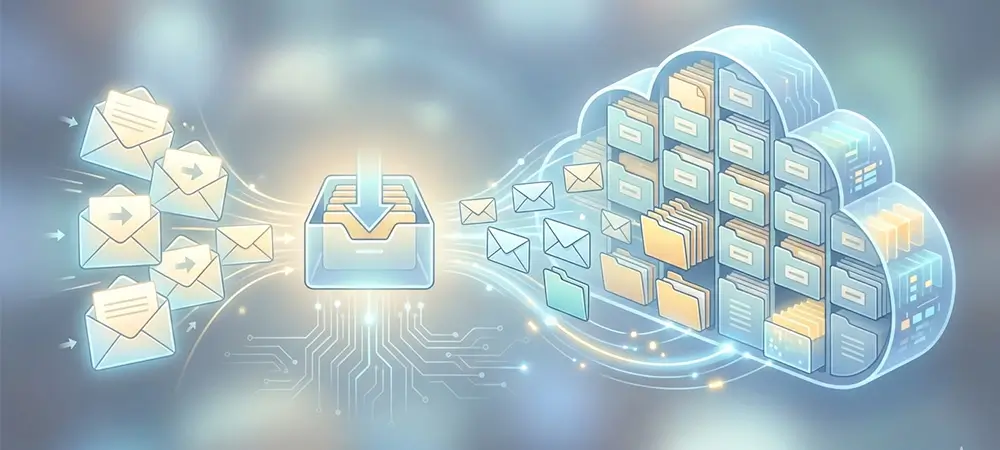
In Gmail, archiving is not moving email into a separate vault. It is simply removing the Inbox label. That is why the message disappears from Inbox but remains available in your mailbox.
In plain English: Archive = hide from Inbox, keep the email.
What actually happens when you archive an email
It leaves Inbox, but it is not deleted
Gmail treats “Archive” as an Inbox-label change. When you archive, the Inbox label is removed, and the message remains in All Mail.
It is still searchable
Because the email remains in your mailbox, Gmail search can still retrieve it using sender, subject, or keywords.
Your other labels stay
If the email had a label like “Receipts,” “HR,” or “Projects,” archiving does not remove those. Gmail is effectively only removing the Inbox label.
Key Takeaways
- Archive in Gmail means: Gmail removes the Inbox label. The email leaves your Inbox view but still exists in your mailbox.
- Where it goes: You can find archived email under All Mail (and any labels you applied).
- Why people use it: Inbox cleanup without losing the message.
- Important distinction: Gmail archiving is not the same as compliance-grade email archiving used in government and education records programs.
Mini-scenario: You finish an onboarding thread with HR. You do not want it in Inbox anymore, but you might need it later. You archive it. The thread disappears from Inbox, but it remains in All Mail and search.
How to find archived emails in Gmail (and move them back)
Find archived emails (desktop or web)
- Open Gmail.
- In the left menu, open All Mail.
- Look for the message that is not tagged as being in Inbox (Inbox label removed).
Find archived emails (mobile app)
- Open the Gmail app.
- Tap the menu icon.
- Tap All Mail.
- Use search if needed.
Move archived email back to Inbox
Add the Inbox label back. In most Gmail clients, this shows up as Move to Inbox. Conceptually, you are reversing the archive action by reapplying Inbox.
Archive vs delete in Gmail
| Action | What it does | Best for | Risk |
|---|---|---|---|
| Archive | Removes the Inbox label; message remains in All Mail and searchable. | Inbox cleanup without losing information | You may forget it exists if you do not label or search well |
| Delete | Moves email to Trash (eventually permanent deletion if emptied) | True junk and messages you never need again | Accidental deletion can cost time and context |
If your goal is records defensibility, audit readiness, or policy-based retention, Gmail “Archive” is not the control you are looking for. It is an inbox view change, not a records program.
Why “archiving” means something different in government and education
In everyday Gmail use, archiving means “clean up my Inbox.” In the public sector and higher education, archiving often sits inside a records management and privacy reality where the stakes are higher: retention schedules, legal discovery, public records requests, and security obligations.
Federal example: email as a record, not just a message
The U.S. National Archives and Records Administration (NARA) makes it explicit that federal agencies must manage records, including email and electronic messages, as part of federal records management guidance.
What this means in practice: agencies need durable capture, retention, and retrieval practices. “Remove Inbox label” does not satisfy those requirements by itself.
Education example: retention and destruction as part of student privacy
The U.S. Department of Education’s Student Privacy resources include guidance on data retention and data destruction in the context of education records and FERPA considerations.
Translation for an IT director: retention is not just storage. It is policy, access control, and defensible disposal.
International angle: retention must coexist with privacy rights
Even outside the U.S., organizations balancing retention and privacy (for example, right-to-erasure expectations in privacy programs) typically need clear policies and auditable workflows. Gmail archiving alone is not an enterprise policy control.
Why regulated industries care: prompt production and audit trails
Financial regulators often emphasize prompt production and controls in electronic recordkeeping systems. For example, SEC materials describing broker-dealer recordkeeping highlight the need to produce electronic records (and audit trail, if applicable) in a usable format when requested.
Where Solix fits
Principle first: separate inbox convenience from governed retention. Gmail “Archive” is great for individuals who want a clean Inbox. Organizations, especially in government and education, need governed retention, discovery, and policy enforcement that maps to their records obligations.
Solix approaches archiving and retention as part of a governed data lifecycle, so content can be:
- Discoverable with consistent metadata
- Policy-managed for retention and access
- Audit-ready for defensible retrieval and reporting
- AI-ready when organizations want to use governed information for analytics and enterprise AI workflows
Related: governed enterprise AI
If your end goal is governed information that supports compliance, discovery, and AI adoption, explore: Solix Enterprise AI.
Transparency note: The link above is a Solix product page. This article is educational and focuses on Gmail behavior, then clarifies why regulated environments often require additional controls beyond Gmail inbox actions.
FAQ: What does archive in Gmail mean?
Does archiving delete the email in Gmail?
No. Archiving removes the Inbox label so it leaves Inbox, but it remains in your mailbox and can be found in All Mail.
Where do archived emails go in Gmail?
They show up under All Mail (and under any other labels applied).
How do I unarchive an email?
Move it back to Inbox by reapplying the Inbox label (often shown as Move to Inbox).
Is Gmail “Archive” the same as email archiving for compliance?
No. Gmail Archive is an inbox organization action. Government and education programs often require records management practices (retention, retrieval, controlled disposal) guided by authorities like NARA and the U.S. Department of Education’s privacy resources.
Disclaimer: This article is for informational purposes and does not constitute legal advice. For retention schedules and regulatory obligations, consult your legal, compliance, and records management teams.