
What Does Archiving an Email Do?
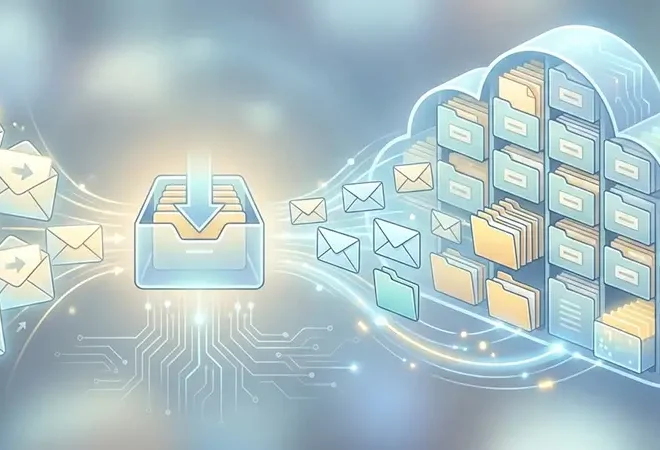
What does archiving an email do? It copies inbound and outbound email (plus attachments and metadata) into a secure, indexed repository so the business can search and retrieve messages fast, retain records for required periods, place legal holds, produce evidence for audits and eDiscovery, and support defensible deletion when retention expires.
Key Takeaways
- Email archiving is not “just storage.” It is preservation plus indexing plus auditability.
- Archiving reduces mailbox bloat while improving search and legal readiness.
- Compliance applies to copies. Regulations often require provable retention, retrieval, and controlled deletion.
- Legal hold is the safety lock. It prevents deletion of relevant records during matters.
- AI changes the stakes. Archived email can become a governed knowledge source, but only with policy controls.
First, define the terms
Before we answer “what does archiving an email do” in detail, we need clean definitions:
- Email archiving: Capturing and preserving email content, attachments, and metadata in an indexed repository designed for long term retention and search.
- Email backup: Point in time copies for disaster recovery, typically optimized for restore, not legal search or policy enforcement.
- Retention: Rules that define how long records must be kept.
- eDiscovery: The process of identifying, preserving, collecting, reviewing, and producing electronic information for legal or regulatory matters.
- Legal hold: A directive that suspends deletion for relevant data until a matter is resolved.
What does archiving an email do in practice?
When you archive email, the system typically:
- Captures messages automatically as they are sent and received (journaling, API capture, or gateway capture).
- Preserves a copy of the message, attachments, and metadata (sender, recipients, timestamps, message ID, thread context).
- Indexes content for fast search across the entire archive (keywords, metadata filters, attachment text).
- Applies retention policies based on mailbox, user role, business unit, geography, or record type.
- Enforces immutability controls so records cannot be quietly altered or destroyed when they should be preserved.
- Generates audit trails to prove who accessed what, when, and why.
That is the functional answer to “what does archiving an email do.” It converts email from a messy communications stream into a controlled record system.
Why email archiving matters for compliance
For many organizations, email is not “communication,” it is business record. That means regulators and auditors can ask you to prove:
- Retention for required periods
- Prompt retrieval in usable formats
- Integrity controls and auditability
- Controlled deletion when retention expires
Examples of why governance matters:
- SEC recordkeeping (broker dealers): Rule 17a-4 focuses on preservation and the ability to furnish records and (where applicable) audit trails in usable formats.
- GDPR (General Data Protection Regulation): Article 17 establishes the right to erasure, which becomes operationally impossible if you cannot locate all copies, including archived communications.
- HIPAA (Health Insurance Portability and Accountability Act): The Security Rule includes disposal and media re-use requirements for electronic protected health information (ePHI), which drives the need for controlled disposition practices.
- NIST media sanitization guidance: NIST SP 800-88 (updated to Rev. 2) provides guidance on making data infeasible to recover, which becomes relevant when you retire hardware or decommission archives.
Mini-scenario you can picture
A former customer requests deletion of their personal data. The business deletes records in production systems, but email threads containing personal details still exist across mailboxes, PST exports, and legacy archives. Without a unified archive and policy controls, you cannot prove what was deleted and what still exists. That is where “what does archiving an email do” becomes a compliance question, not a storage question.
Email archiving vs keeping email in your inbox
What you get when you archive email vs relying on mailboxes alone
| Capability | Mailbox only | Email archive |
|---|---|---|
| Long term retention | Inconsistent, depends on quotas and user behavior | Centralized policy driven retention |
| Search across all records | Limited, fragmented across mailboxes | Indexed enterprise search with metadata filters |
| Legal hold | Manual, error prone | Policy enforced holds with audit trails |
| Tamper resistance | Users can delete, modify, or export data | Controls designed to preserve record integrity |
| Audit readiness | Hard to prove completeness and chain of custody | Designed for proof and repeatable production |
How email archiving supports eDiscovery
In litigation or investigations, speed and defensibility matter. A well run archive can:
- Reduce collection time by searching one authoritative repository
- Improve accuracy with metadata filters and deduplication
- Provide repeatable productions and audit trails
- Lower cost by avoiding manual mailbox hunts
If your archive cannot prove completeness or integrity, you end up doing expensive work twice.
What to look for in an enterprise email archive
If your goal is to rank and win traffic for “what does archiving an email do,” you want to answer the question, then immediately help the reader decide what “good” looks like:
- Capture completeness: inbound, outbound, internal, distribution lists, journaling support
- Indexing depth: attachments, file types, OCR where needed, metadata normalization
- Retention flexibility: policy by user, role, region, record type, and matter
- Legal hold: hold, release, and reporting with audit
- Export formats: standard formats for counsel and regulators, plus usable electronic formats when required
- Security controls: role based access control, encryption, immutable logs
- Disposition: defensible deletion workflows, aligned with sanitization and disposal guidance
Where Solix fits
Email archiving becomes more valuable when it is part of a broader information governance strategy, especially as enterprises adopt AI.
Implementing a governed archive that supports compliance and AI readiness requires a platform that can unify data control, policy enforcement, and auditability across systems. Solix helps enterprises build that foundation and extend governance into AI workflows where trust and traceability matter most.
Learn how Solix approaches enterprise scale AI and governance: Solix Enterprise AI.
Frequently Asked Questions
What does archiving an email do for my organization?
It preserves a controlled copy of email with indexing, retention policies, legal hold, audit trails, and rapid retrieval for compliance and eDiscovery.
Is email archiving the same as email backup?
No. Backup focuses on restore. Archiving focuses on long term preservation, search, policy enforcement, and defensibility.
Do privacy laws apply to archived email?
Yes. Archived email can contain personal data, which may trigger obligations like GDPR rights, including the right to erasure where applicable.
How long should email be archived?
It depends on industry, jurisdiction, and your retention schedule. Some regulated sectors have explicit recordkeeping requirements.
What is a legal hold and why does it matter?
A legal hold prevents deletion of relevant records during a legal matter. Without reliable legal hold controls, organizations risk spoliation claims and failed productions.
Can archived email be used for AI or analytics?
Yes, but only if it is governed. AI initiatives require clear policies, access controls, and audit trails to avoid training on sensitive or restricted data.
Take control of email records before they become a liability
If you came here asking “what does archiving an email do,” the real next question is whether your organization can prove retention, retrieval, and deletion across all records and copies. That is what separates “we store email” from “we run a defensible archive.”
Transparency note: This article outlines common enterprise practices for email archiving and information governance. Specific compliance requirements vary by industry and jurisdiction. Validate obligations and retention schedules with qualified legal, compliance, and security professionals.